Groppe - Nonprofit WordPress Theme


Groppe is fully functioned and fundraising charity WordPress theme that helps you to create a very attractive non-profit organization website. You can promote everywhere with highly featured donation plugin and enriched layouts that make people believe in causes.



GROPPE – Charity / Non Profit / Fundraising WordPress theme.
Awaken theme with enriched and numerous layouts for people who believe in transforming peoples life with charity.
Comfortability
Our Theme is fully comfortable with most user friendly plugins it take your works into next level.
Premade Demos
Enhance your Extraordinary work techniques with these perfect premade demos.
Main Features
Knowledge and experience give us a step over the competition
Different Header Styles
Presenting a different header styles that shows your creative work looks more attractive.
Responsive & Retina Ready
The Groppe is 100% perfect and device friendly theme, each and every element are carefully created to adapt & work comfortable with any device.
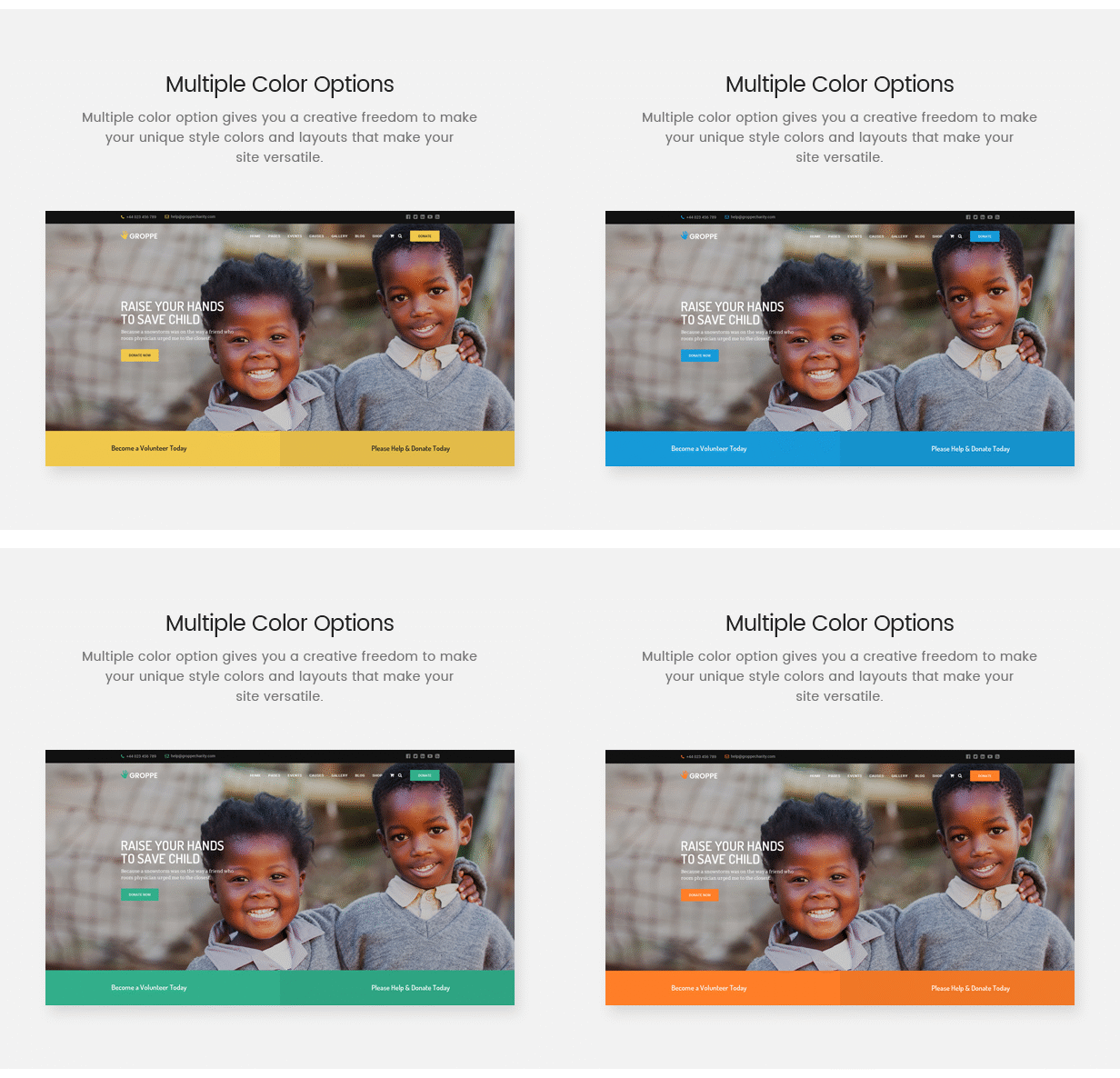
Multiple Color Options
Multiple color option gives you a creative freedom to make your unique style colors and layouts that make your site versatile.
Dedicated Donation Plugin
Embed with most user-friendly and fully functional Donation plugin to support charity campaign.
Incredible Donation System and layouts
It helps you to create a very attractive non-profit campaign that you can promote everywhere.
Amazing Events Platform Powered by The Event Calendar
Providing a professional level quality to your event with convenient functionalities.
Powered by Woocommerce with flexible Option
Stunning & delightful theme has solid foundation with WooCommerce that bring value to your business in the field of E-Commerce.
Beautiful & Interactive Pages
Attractive page has been designed keeping in mind the user interface and importance of visual hierarchy.
Two Stunning Blog Design Options
Versatile and gorgeous blog design options let you craft an most admired blog layouts even more stylish and comfort.
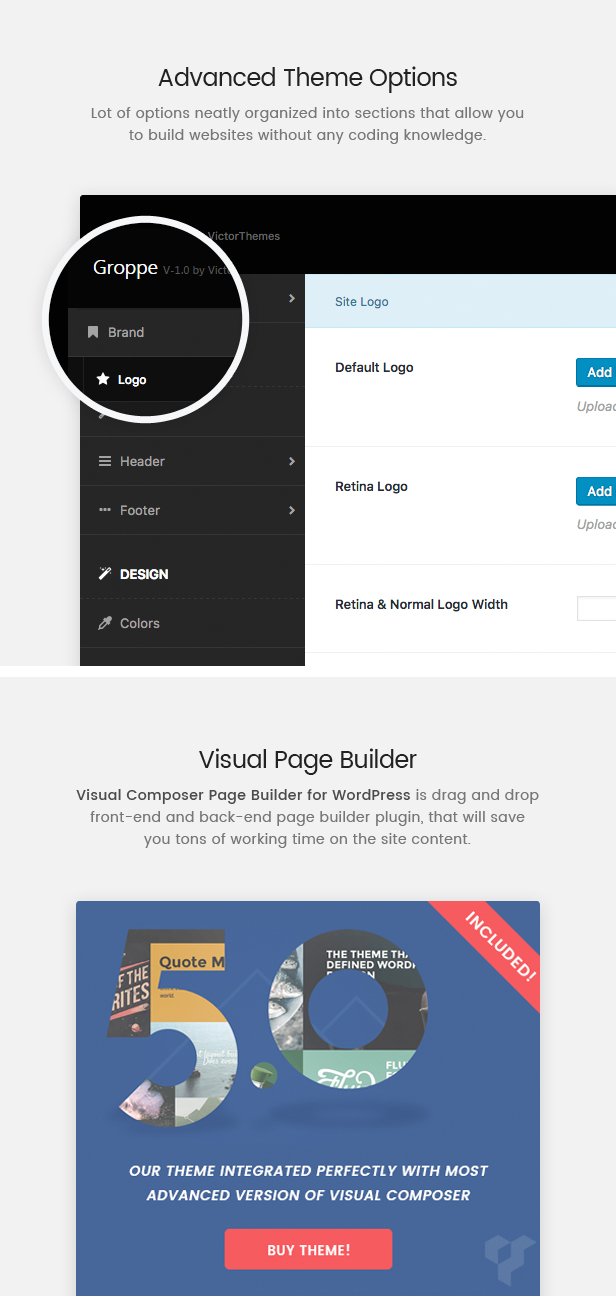
Advanced Theme Options
When it comes to personalizing theme options, Groppe makes it very simple to achieve complex updates without a line of coding required. All of the features you might wish to update, typography, headings, footers, padding and font colors are all controlled in real-time via the WYSIWYG Theme Options Panel.
Visual Page Builder
Create almost any web element you desire with the simplicity of Drag & Drop via the #1 top selling Plugin for WordPress, simple to use, no coding required, unlimited flexibility.
Unlimited Colors in Live Customizer
Groppe theme is well organized in color section. You can change each part colors from live preview at Customizer. So, you can see that changes on the fly.
Lot’s of Shortcodes are available
Our theme highly integrated with most user friendly visual composer page builder plugin. Each shortcode have well organized and easy to use fields.
Contact Form 7
Taking the power of the industry standard plugin for creating webforms – Contact Form 7 – and combining it with the simplicity of Groppe just makes sense. Create any kind of form you desire and rest assured of full functionality compatibility.
Woocommerce
WooCommerce is a powerful and extendable eCommerce plugin that helps you sell anything Beautifully, Groppe theme is comfortable with WooCommerce plugin.
Seo Optimized
Groppe theme perfectly supports search engines algorithms. SEO is most important part to run a successful business. Organic searches only stays as lifetime.
Google fonts and Upload your custom premium fonts
Easily select from the entire Google Font library of over 790+ beautifully articulated fonts, or upload your own custom fonts to and create font nirvana. Your Google Maps With Groppe and deep integration with the Google Maps API allowing you express your maps with multiple styling options to give your site that point of difference.
Advanced Typography
Groppe theme has advanced typography settings available at theme options panel. You can customize font weights, line heights and what ever you want to add CSS properties easily.
Google Map
Our theme extending google map appearance even more with maps API’s. Now, you can show multi styling options within a google map area.
FontAwesome & Line Icons.
Icons can say so much in a graphical way, it’s a beautiful use of expression without words, so with Groppe you have the entire FontAwesome and Line Icon libraries to keep you up to date with the latest designs.
Child Theme
If you are not familiar with Child Themes, they very simple replicate the full theme but do not need updating – instead you use a Parent/Child installation and only ever update the Parent. So when you update, you won’t lose any of your custom CSS or modifications. Huzzah!
Browser Compatible
Groppe theme will ensure that, your every visitors receives the same experience across all browsers. We sticky support browser compatibility with cross OS platforms & devices.
Updates comes within your WP Dashboard
Purchasing a Premium theme, one the cons for all time is updating process. It’s hard to update each time. Groppe theme fix your hardest part. Now you can get updates with your WP Panel.
Lifetime Updates
We are always up to date with the latest patches and updates for WordPress. We work with our community of customers to take on feedback and implement that into updates regularly.
Support
We have a dedicated support center to ensure you get professional technical support fast. One of our highly trained Support Officers will help you solve any issue you run into during installation or customization.
Support : Open a Support Ticket.
Documentation
Some people prefer to print out a page and read it side by side with their computer, some prefer to watch a Video. With every purchase you can rest assured your requirements will be met with comprehensive documentation both in written and video formats – so you can chose what works best for you.
How to? : Documentation.
How to? : Video Guides.
Change Log – History
Fonts
- Roboto
- Dosis
- Arvo
Font Awesome (Icons)
Images
All images have been used for demonstration purposes only and are not included in the template.
Theme splash page is just for showcasing purpose. And it’s not included with this theme package.


Just curious – the demo content that loaded – didn’t load the homepage 2 layout … really liked that – how can I get that layout by chance?
ReplyDeleteThanks!
Hi,
ReplyDeleteYou can use following shortcodes in creating a new page of Home 2.
Home 2 & Home 3
We’ll do the fixed version of our theme update soon!
Thanks!
I bought a template, demo data is not installed correctly. The home page is not displayed correctly. The slider did not load at all and it is not in the downloaded files. What it is?
ReplyDeleteIf the download of the demo data and the slider does not repair I do not advise buying this template. Already regretted that he bought it.
ReplyDeleteHi,
ReplyDeleteSorry for the inconvenience!
We’ve already fixed this issue & uploaded to themeforest. Waiting for their approval.
Once, updated. We’ll let you know. So, that you can re-install it with all needed pages without any issue!
Thanks!
Thanks for the response. We try to check.
ReplyDeleteYou’re Welcome!
ReplyDeleteHi again,
ReplyDeleteSo – there’s no way to change the active link color of a sub menu item. Right now it stays the gold/yellow color that it’s currently set to – and I can’t find any way to change it.
#grop-mainmenu ul.sub-menu li.current-menu-ancestor > a
Hi,
ReplyDeleteThanks for purchasing our theme!
You can able to change active sub-menu color from : Appearance > Customizer > 02. Header Colors > Sub-Menu Colors > Link Hover Color.
Regards,
VictorThemes
https://victorthemes.com/
Does one set up the donation page with their bank account or PayPal, etc?
ReplyDeleteHi,
ReplyDeleteThanks for showing interest in our theme!
We’ve used GiveWP donation plugin in Groppe WordPress theme.
So, you can see the payment gateway from their docs :
https://givewp.com/documentation/core/payment-gateways/offline-donations/
Regards,
VictorThemes
https://victorthemes.com/
Hi there – new problem – the mobile logo isn’t showing up even when I’ve uploaded a “mobile logo” and set the size within the theme options – any ideas there?
ReplyDeleteThanks!
Hi,
ReplyDeleteThanks for letting us know about this issue. Can you please update our Groppe theme and Groppe Core plugin in order to fix this issue.
How to Update our theme?
https://www.youtube.com/watch?v=DwpG13TXUA0
How to Update our plugin?
Can you please update our Groppe Core plugin using following steps. Following video we’ve updated Visual Composer plugin. Apply the same steps to Groppe Core plugin to update our plugin. Latest version have that fixes.
https://www.youtube.com/watch?v=9vTP2fPb4II
Regards,
VictorThemes
https://victorthemes.com/
is rtl supported?
ReplyDeleteHi,
ReplyDeleteSorry, unfortunately this is not rtl supported!
Getting an error upon installation: “Fatal error: Can’t use function return value in write context in /home/xxxx/public_html/wp-content/themes/groppe/layouts/post/content/php on line 29” I’m installing on the latest version of wordpress.
ReplyDeleteHi,
ReplyDeleteSorry for the inconvenience!
This issue not only from our theme. It’s because of your server may have older version of PHP. Can you please update your server PHP version to 5.5 or 5.6.
If you not able to understand about above para. Please ask your hosting provider in live chat support with above content as a question.
They’ll fix this issue within a minute.
Regards,
VictorThemes
https://victorthemes.com/
Hi,
ReplyDeleteI was wondering how to delete the countdown in the groppe theme. When I add an event the timer appears and the days to the event is off and it shows a buy tickets online button, that I dont want. I found the class in the css files , .grop-evensiglcnd_warp, but even when I save as display: none!important it wont remove itself. Any help appreciated.
-Travis
got it fixed
ReplyDeleteThat’s Great. You’re Welcome!
ReplyDeleteHi again,
ReplyDeleteI don’t think your sticky header is working – the logo disappears when you scroll down the page … (at least for the site we’re currently constructing using your theme) ... I’ve noted this on the support ticket.
Thanks!
Hi,
ReplyDeleteI hope your name is : Tony Pantello.
We replied already in your ticket, please use same ticket for future questions without duplicating same questions here.
Thanks!
Just putting this out there for anyone else buying the theme – because it could help – if you want to use a transparent header – you have to set the logos on the page itself rather than have the logos selected within the theme options. (which means don’t put logos in the “transparent logos” section of the theme options) Hope that helps till the next update comes out!
ReplyDeleteYeah, sure. Thanks!
ReplyDeleteHi,
ReplyDeleteI want to delete the overlay on the header. How do I do that?
Hi,
ReplyDeleteThanks for purchasing our theme!
You can hide overlay color from : Groppe Options > Header > Title Bar (or) Banner.
Or from each page you can hide from page edit : Page Custom Options > Banner & Title Area > Overlay Color.
Regards,
VictorThemes
https://victorthemes.com/
Just a suggestion for any future updates to the theme – it’d be awesome if we could have the option to select a dark and light logo for each page if we’re using a transparent header – that would be separate from the sticky logo.
ReplyDeletethanks!
Hi,
ReplyDeleteYes, for sure. We’ll consider this option in our upcoming updates!
Thanks for your suggestions!